How to Log in to SolusVM 1 Control Panel Print
- 0
You can find the Control Panel URL, username and password in your VPS welcome email.
SolusVM 1 Login details example:
Control Panel URL: https://cp.example.com or with the IP Address.
Username: vmuser123 or johndoe.
Password: example.
How to log in to SolusVM 1 Control Panel?
1. Open VPS Control Panel.
2. Enter your SolusVM username and password.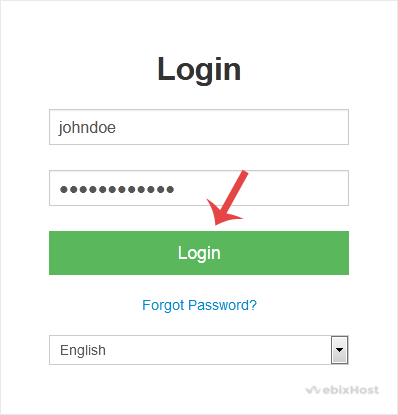
Click on Login, and you will be redirected to the SolusVM 1 VPS management area.
Was this answer helpful?
Related Articles
How to Check VPS Online or Offline Status in SolusVM 1
You can check your SolusVM VPS status and determine whether the VPS is offline or online. You can...
How to Check VPS Specifications and Virtualization Info in SolusVM 1
You can check VPS specifications such as RAM, disk space, virtualization, IP Address, etc., from...
How to Change the SolusVM 1 Account Email Address
If you want to update your SolusVM 1 VPS Control panel email address, follow this instruction.1....
How to Enable or Disable the SolusVM 1 VPS Login Alert
Whenever you log in to your VPS control panel, you will receive a login email alert. You can...
How to Change the SolusVM 1 Control Panel Password
If you can access your SolusVM 1 VPS control panel, you can easily change your SolusVM 1...